
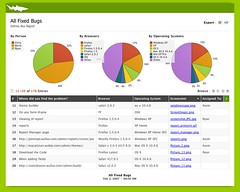
While Wufoo does a great job helping you style and personalize the way you collect data thanks to our really great [Theme Builder](/docs/theme-builder/), we felt that our reporting system was in need of the same serious love. Reports like to dress up too, you know. And so we’re really pumped to announce that you can now apply custom themes to your Wufoo reports.
One of the great things we’ve done here with themes for reports is that you can apply the exact same themes you created to style your Wufoo forms to your Wufoo reports. This way you can easily coordinate your Wufoo input and output without having to duplicate any work. Applying a theme to a report is done in the exact same way as applying a theme to a form. Just go to the Report Manager and click on the drop down of available themes.
We want you to know that this is only the first stage. Currently, the only properties that carry over for your theme is the background, logo/header, and the typography for the report’s title and description. We’re hoping to allow for a lot more customization in the future, now that the foundation has been laid. Anyway, we love the changes that we’ve made and hope you do too. Now, go out there and show off your sexy data.
Comments
Everyone needs a hug.
Posted February 2nd, 2007 by majedalshere.